
Wifi-soft manufactures and supplies a Rugged, all-weather, outdoor 802.11ac series access point for large locations with harsh weather conditions. UniMax UM 530AC is designed for deployments in high density environments that need sturdy, industrial grade casing with easy mounting and installation capabilities.
UniMax – UM 530AC Access Point
When deploying public WiFi in large outdoor venues, operators need an access point that can deliver top performance and reliable connectivity across the venue. Operators also demand more user capacity and higher throughput to save cost and provide high-speed data to the end users. Moreover, they also need an access point that can withstand harsh weather conditions and are capable of working in any region.
UniMax UM 530AC is designed for deployments in high density environments that need sturdy, industrial grade casing with easy mounting and installation capabilities. It comes with latest 802.11ac technology that delivers high throughput and wider coverage using the external, omnidirectional antennas. Each access point can handle over 100 concurrent users and support throughput of 1200 Mbps.
UM 530AC is the top choice for operators who want to design high performance wireless networks for large, crowded areas.


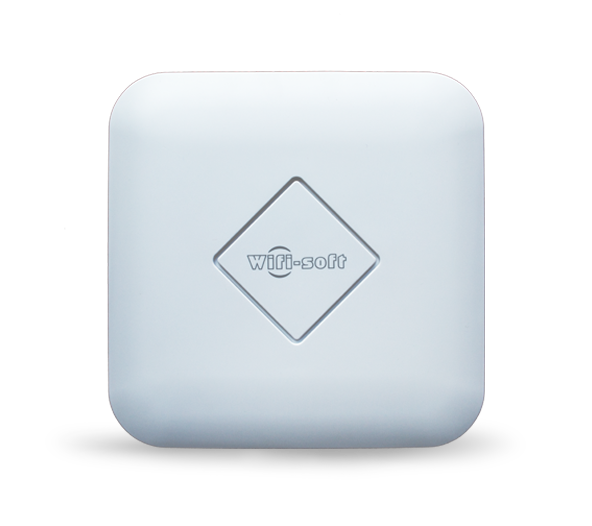
UM310AC is work horse for modern wireless networks. This access points provides value for your money by delivering performance and QoS at fraction of the cost.
This dual-band, wave-2, MU-MIMO access point delivers high quality WiFi and comes packed with features that are needed to run any sized public WiFi network.
Built on latest Qualcomm chipsets, UM310AC provides speeds up to 1200 Mbps by utilizing both 2.4 and 5 GHz channels. The MU-MIMO technology ensures multiple devices can utilize the RF bandwidth at the same time thus significantly boosting the performance of the access point.
Simple and elegant design that fits into any décor ranging from hotels, corporate houses, airports and other venues. Comes with internal 5 DBi antenna and signal booster that delivers highly reliable WiFi signal over a wider area. Designed to serve 120+ concurrent devices.
UM310AC can be managed as standalone access point or also can be managed through a cloud or appliance controller. Ideal for any venue ranging from cafes, hotels, hospitals, universities, corporate offices, airports, etc.
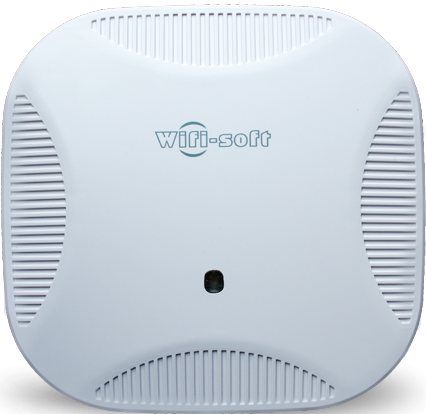
High quality chipsets
UM210AC comes with latest Qualcomm chipset that provides superior coverage and reliable signal over a wide area.


Centrally Managed
Manage, configure and monitor all the access points from single interface and save on operational cost. Reduce misconfiguration and network outages.
Elegant Design
The access point remains concealed in a wall-plate. No more antennas or wires popping out.

Contrary to popular belief, Lorem Ipsum is not simply random text. It has roots in a piece of classical Latin literature from 45 BC, making it over 2000 years old.
Call Us Now For Free Trail
POE powered
Each AP can be powered with latest 802.11at POE technology to deliver reliable power to each access point.
Extra Ethernet and USB port
Ethernet port for extending the Internet connectivity to laptop or computer. Use USB port for charging mobile devices.
| Description
Dual band 802.11ac Wave-2 rugged outdoor access point |
Frequency Channels
2.4~2.4835GHz;20MHz,40MHz 5.1-5.8 GHz, 20,40,80,160 Mhz |
RF Output Power
8 DBi (2.4 GHz) MU-MIMO 10 DBi (5 GHz) MU-MIMO |
| WiFi Standard
IEEE 802.11b/g/n/ac, IEEE 802.3u, IEEE 802.3af/at |
Concurrent Users
100+ CCU |
Receiver Sensitivity
-100 dbm |
| Transmit Power
1000 mW |
Chipset
Qualcomm QCA9563 |
Modulation Modes
DBPSK,DQPSK,CCK,OFDM,16-QAM,64-QAM |
| Meshing
Enabled |
Ethernet Ports
WAN port : 10/100/1000 Mbps LAN port: 10/100/1000 Mbps |
Radio Streams
2:2×2 MU-MIMO(Wave-2) |
| Certifications
CE, FCC |
Wireless Speed
1200 Mbps |
Power
802.3 AT PoE or 12V DC |
1. What is WiFiLAN Cloud?
WiFiLAN Cloud is an unmitigated operational support system (OSS) and Business Support System (BSS) for managing and monitoring wireless hotspots. WiFiLAN Cloud is designed specifically for managing wireless networks and incorporates all important features needed for managing networks from a central console. These features include :
- Splash pages
- RADIUS Authentication
- Hotspot Billing
- Subscriber Management
- User Provisioning
- Hotspot Monitoring & NMS
- Problem Ticketing
- Reporting & Analytics
- Social Media
- Customer Self Care
- Prepaid Vouchers
- Advertisement
- Marketing
2. Is there minimum contract or lock-in period?
WiFiLAN cloud is offered as a pay-as-you-go service i.e. you only pay for the services used. There is NO lock-in period or minimum contract for using our service. You can terminate the service anytime with one month’s notice period.
3. Can we host WiFiLAN on our servers or cloud?
Yes, WiFiLAN can be hosted on a private server or cloud instance in your data center. Please check with our sales team on the pricing options and terms of the service.
You will need to provide us complete (root) access to your server so the dedicated instance can be managed and monitored remotely.
4. Which hardware vendors are supported by WiFiLAN Cloud?
WiFiLAN Cloud supports access points and gateways from a wide range of WiFi vendors.
These include Cisco, Ruckus, Aruba, HP, Meraki, Zyxel, Mikrotik, Valuepoint, OpenMesh, Cradlepoint, Nomadix and more.
Please check our supported hardware section for more information.
5. Where is WiFiLAN hosted?
WiFiLAN Cloud is hosted in a state-of-the-art, secure Data Center in the US, Europe and Asia. Our cloud instances are hosted in different data centers to provide minimum latency and maximum uptime to our customers. The server architecture ensures redundancy and automatic failover by running primary and secondary servers parallelly.
6. How does WiFiLAN work?
WiFiLAN cloud is provided as Software-as-a-Service. The operators don’t need to install any software or servers for managing their WiFi networks. Instead, they use WiFiLAN services over the cloud. The operator installs compatible gateways/controllers in their WiFi networks. These devices are configured with a specific profile, which is provided by Wifi-soft. Additionally, WiFiLAN also hosts the captive portals for the hotspot.
Wifi-soft is fully responsible for maintaining and securing the cloud services. All the housekeeping of the servers/cloud is also handled by Wifi-soft. Operators have complete access to their data from a web admin interface.
7. Is my data secure on WiFiLAN Cloud?
WiFiLAN Cloud is hosted in our NOC (Network Operations Center) in a secure data center.You don’t need to install any Software or run any servers locally. All you need is a Compatible Gateway and a Broadband or DSL Internet Connection and you are ready to provide a Managed and Reliable WiFi Service. WiFiLAN Cloud helps you monitor and manage all your Hotspot Locations and Users remotely through you its Web Based Interface.
8. Who uses WiFiLAN Cloud?
This solution is ideal for hotspot operators and service providers who need a complete, integrated back-office management solution that streamlines their operating procedures and reduces operational cost. The simple, intuitive web-based interface is easy to learn and makes hotspot management smooth and hassle-free.
9. Does WiFiLAN work in any country?
Yes, WiFiLAN Cloud works in any country. You can have Captive Portals in your local language and charge your customers in one of the major currencies of the world.
10. Do you help in migrating from another software provider?
Yes, our support engineers shall help you migrate from your existing software solution to WiFiLAN Cloud and they shall assist you by remotely configuring your gateways to interface with WiFiLAN.
11. Can I try your software before purchasing the subscription?
Yes, a free Online Demo of our solution is available. Click the demo tab for our signup form. You shall receive information regarding your Demo WiFiLAN Account via e-mail. If you are interested in an ONLINE WALK-THROUGH of our solution, we have our Sales Representatives available at a time convenient to you. The representative will explain various features of WiFiLAN and will guide you through the online demo.
Please click here to schedule an ONLINE WALK-THROUGH.
12. Does the monthly subscription come with remote support?
Yes, our engineers will provide you professional and quick support related to WiFiLAN setup, configuring gateways, designing splash pages and setting up billing. In addition, we provide a lot of online documentation for WiFiLAN.
User Guides
- WiFiLAN 2.0 user guide
- WiFiLAN 3.0 user guide
API Documentation
- JSON API guide
Powerpoint Presentation
- WiFiLAN Cloud
- Smart Cities
Case Studies
- Hotel case study
- Wireless ISP case study
- Retail case study
Quick Help Guides
- Credit Card Billing
- Network Monitoring
- Managing Prepaid Vouchers
- Reporting
CASE STUDIES

Hai Phong City, Vietnam

Cancun International Airport

Awfis Space Solutions

Whole Foods
Testimonials
Great Product
When you are looking for a WIFI Solution and want hassle free Products and services, then WIFI SOFT is the answer. They are smart, professional, very responsive to their clients and easy to work with. Our company is working with WIFI Soft Products and till date there has been no complaint for any reason in the support of WIFI SOFT Team, they are always available, remotely or on premises, whenever we need them. Thank you for great product and great support.

Manjit Singh, IT Manager Corporate, Sayaji Group
Superior Technology
WiFiLAN is a vital part of our operation. We use WiFiLAN for support and for monitoring information. We have about 200 locations that we use to monitor our Wi-Fi systems. It enables us to give various reports to our customers as far as daily login reports , monthly reports, yearly reports and various other reports. I personally have been using WiFiLAN for about seven years. It makes us look very good as a business and very well organized. I've enjoyed over the past seven years working with Wifisoft team. They make it very easy to work with. They are on time doing things we ask. Like specially programing that we need to have done. Customize our reports that we need to have laid out differently. There are so many other functions of WiFiLAN. Companies that do advertising can get even more deeper is customizing and monitoring activities.
I have used other monitoring programs, WiFiLAN is by far the best.

Tye Wilson, Zoom Info Systems, Inc, USA
Great Design
Thanks very much. I really like the UniBox so far. You guys have done an excellent job with the design.

Glen Ebbage, IT Manager, Kingfisher Bay Fraser Island, Queensland