
UniBox Enterprise Series is ideal for medium-sized venues like hotels/resorts, offices, hospitals, shopping malls, government buildings and more.
UniBox – Enterprise Series
UniBox is an all-in-one network/hotspot controller that can be deployed as hotspot gateway for managing public WiFi hotspots or as a network controller for offices and enterprises. It provides all the features required for access control, which includes AAA, captive portal, user provisioning, social media, MAC binding, bandwidth control, legal compliance, policy management, usage monitoring, credit card billing, content filtering, reporting and much more.
UniBox is usually deployed for managing WiFi hotspots in hotels, shopping malls, schools, colleges, airports, retail stores and other public venues. It can be also deployed in offices and enterprises for managing user access, enforcing policies, track usage and secure the network for both wired and wireless users.
UniBox Enterprise series models are available in several models ranging from 200 concurrent users to 1000 concurrent users.
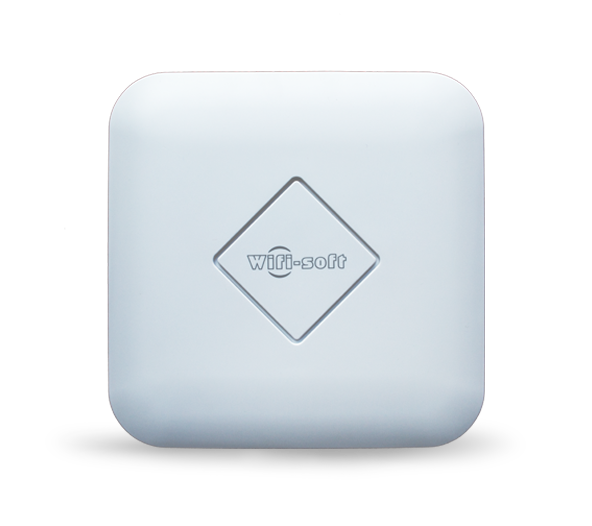
Designed for medium size venues that serve 100 to 1000 concurrent devices. Provides enterprise-class features like LDAP/AD integration, guest authentication, group-based policies, web logging, group-based filtering, multiple captive portals, voucher management, WAN load balancing and failover, Subscriber management and more.
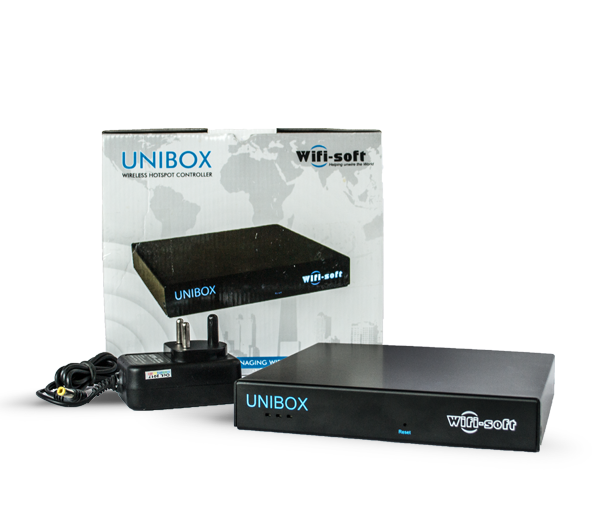
Secure your network
UniBox provides multi-layer security for your enterprise and guest WiFi network. It also offers device level traceability to enable administrator have complete control of their networks.


Enterprise Network Controller
Single appliance for managing enabling guest WiFi, employee authentication and enforcing consistent access rules across the enterprise
Designed to scale
UniBox comes in different models to cater to growing needs and complexities of large networks.

Contrary to popular belief, Lorem Ipsum is not simply random text. It has roots in a piece of classical Latin literature from 45 BC, making it over 2000 years old.
Call Us Now For Free Trail
Market Proven
UniBox has served thousands of business and venues since 2014 and are designed to work in wide range of network environments.
Powerful, all-in-one controller
Built-in AP controller
When deployed with UniMax access points, UniBox functions as an AP controller thus allowing the administrator to centrally manage and monitor all their access points.
Multi-vendor AP suppor
UniBox also supports all third-party access points thus providing unmatched flexibility and cost advantage to the network administrator. UniBox also provides monitoring capabilities for third-party access points.
Single Console Management
UniBox provides a dashboard for managing the complete network through a single interface. All network statistics, user data usage, revenue reports, analytics, customer behavior and loads of diagnostics information is available at a click of a mouse.
Lawful Interception
UniBox can be deployed for lawful interception and legal compliance for any public or enterprise network. It provides multiple features like weblogging, URL filtering, two-factor authentication, CDR recording and more for ensuring compliance with the local regulator.
Huge Cost Advantage
UniBox provides a HUGE cost advantage over traditional network deployments. By integrating all functions into a single appliance, UniBox substantially reduces the CAPEX and OPEX cost for any network – big or small. Customers have reduced their network setup and operating cost by over 200% when they install UniBox.
Powerful Analytics & Reporting
UniBox comes with powerful analytics and profiling engine that is responsible for compiling end user and network statistics to understand customer behavior, network performance and trends. The on-board database stores all the user information to generate range of MIS reports for the network administrators.
Monetization Platform
UniBox comes with a built-in monetization platform for public WiFi networks. Administrators have wide range of options to offer end users like premium (paid) WiFi, portal advertisements, push notifications, customer surveys, digital marketing, social media integration and more.

Redundant, scalable and customizable AAA server for user authentication with automatic failover.
Compatible with all major hotspot gateways and access points including open-source technologies.
Full-featured bandwidth management and shaping capabilities to ensure fair usage for all hotspot users..
Build a custom captive portal for each hotspot individually with company logo, images and text. Each captive portal can provide multiple login methods for user authentication.
Offers multiple methods for user authentication like Click-through, Data Capture, SMS/OTP, Social Media, username/password, prepaid vouchers and more.
Offers complete billing platform to end users for purchasing WiFi access through credit card payments, PayPal, e-Wallets, PMS, mobile payments and more.
Capture user history, validate mobile numbers or email addresses, capture browsing logs and track all user activities on public WiFi networks to help comply with local regulators.
Full featured subscriber management platform to manage user data and self-service portal for the subscribers
Complete voucher management platform to generate vouchers with access restrictions and print/distribute them to hotspot operators.
Report-rich dashboard for each venue to get a graphical overview of users, data usage, social media analytics, revenue and more.
Offers a complete advertisement system for displaying ads and banners to the end users during the login process and user session.
Enable push-notifications, market surveys and email/SMS marketing campaigns using the data collected from the public WiFi.
View the data usage, top users, social media analytics, revenue reports using over 100 different reports available in the software.
1. What is WiFiLAN Cloud?
WiFiLAN Cloud is an unmitigated operational support system (OSS) and Business Support System (BSS) for managing and monitoring wireless hotspots. WiFiLAN Cloud is designed specifically for managing wireless networks and incorporates all important features needed for managing networks from a central console. These features include :
- Splash pages
- RADIUS Authentication
- Hotspot Billing
- Subscriber Management
- User Provisioning
- Hotspot Monitoring & NMS
- Problem Ticketing
- Reporting & Analytics
- Social Media
- Customer Self Care
- Prepaid Vouchers
- Advertisement
- Marketing
2. Is there minimum contract or lock-in period?
WiFiLAN cloud is offered as a pay-as-you-go service i.e. you only pay for the services used. There is NO lock-in period or minimum contract for using our service. You can terminate the service anytime with one month’s notice period.
3. Can we host WiFiLAN on our servers or cloud?
Yes, WiFiLAN can be hosted on a private server or cloud instance in your data center. Please check with our sales team on the pricing options and terms of the service.
You will need to provide us complete (root) access to your server so the dedicated instance can be managed and monitored remotely.
4. Which hardware vendors are supported by WiFiLAN Cloud?
WiFiLAN Cloud supports access points and gateways from a wide range of WiFi vendors.
These include Cisco, Ruckus, Aruba, HP, Meraki, Zyxel, Mikrotik, Valuepoint, OpenMesh, Cradlepoint, Nomadix and more.
Please check our supported hardware section for more information.
5. Where is WiFiLAN hosted?
WiFiLAN Cloud is hosted in a state-of-the-art, secure Data Center in the US, Europe and Asia. Our cloud instances are hosted in different data centers to provide minimum latency and maximum uptime to our customers. The server architecture ensures redundancy and automatic failover by running primary and secondary servers parallelly.
6. How does WiFiLAN work?
WiFiLAN cloud is provided as Software-as-a-Service. The operators don’t need to install any software or servers for managing their WiFi networks. Instead, they use WiFiLAN services over the cloud. The operator installs compatible gateways/controllers in their WiFi networks. These devices are configured with a specific profile, which is provided by Wifi-soft. Additionally, WiFiLAN also hosts the captive portals for the hotspot.
Wifi-soft is fully responsible for maintaining and securing the cloud services. All the housekeeping of the servers/cloud is also handled by Wifi-soft. Operators have complete access to their data from a web admin interface.
7. Is my data secure on WiFiLAN Cloud?
WiFiLAN Cloud is hosted in our NOC (Network Operations Center) in a secure data center.You don’t need to install any Software or run any servers locally. All you need is a Compatible Gateway and a Broadband or DSL Internet Connection and you are ready to provide a Managed and Reliable WiFi Service. WiFiLAN Cloud helps you monitor and manage all your Hotspot Locations and Users remotely through you its Web Based Interface.
8. Who uses WiFiLAN Cloud?
This solution is ideal for hotspot operators and service providers who need a complete, integrated back-office management solution that streamlines their operating procedures and reduces operational cost. The simple, intuitive web-based interface is easy to learn and makes hotspot management smooth and hassle-free.
9. Does WiFiLAN work in any country?
Yes, WiFiLAN Cloud works in any country. You can have Captive Portals in your local language and charge your customers in one of the major currencies of the world.
10. Do you help in migrating from another software provider?
Yes, our support engineers shall help you migrate from your existing software solution to WiFiLAN Cloud and they shall assist you by remotely configuring your gateways to interface with WiFiLAN.
11. Can I try your software before purchasing the subscription?
Yes, a free Online Demo of our solution is available. Click the demo tab for our signup form. You shall receive information regarding your Demo WiFiLAN Account via e-mail. If you are interested in an ONLINE WALK-THROUGH of our solution, we have our Sales Representatives available at a time convenient to you. The representative will explain various features of WiFiLAN and will guide you through the online demo.
Please click here to schedule an ONLINE WALK-THROUGH.
12. Does the monthly subscription come with remote support?
Yes, our engineers will provide you professional and quick support related to WiFiLAN setup, configuring gateways, designing splash pages and setting up billing. In addition, we provide a lot of online documentation for WiFiLAN.
User Guides
- WiFiLAN 2.0 user guide
- WiFiLAN 3.0 user guide
API Documentation
- JSON API guide
Powerpoint Presentation
- WiFiLAN Cloud
- Smart Cities
Case Studies
- Hotel case study
- Wireless ISP case study
- Retail case study
Quick Help Guides
- Credit Card Billing
- Network Monitoring
- Managing Prepaid Vouchers
- Reporting
CASE STUDIES

Shivaji University, Kolhapur

College of Engg, Pune

Sharada University

Student Housing, Canada